ARTICLE
Project Kickoff Meeting Agenda: Start with Clear Boundaries
Tapquence Editorial
·
4 min read
Editorial week of
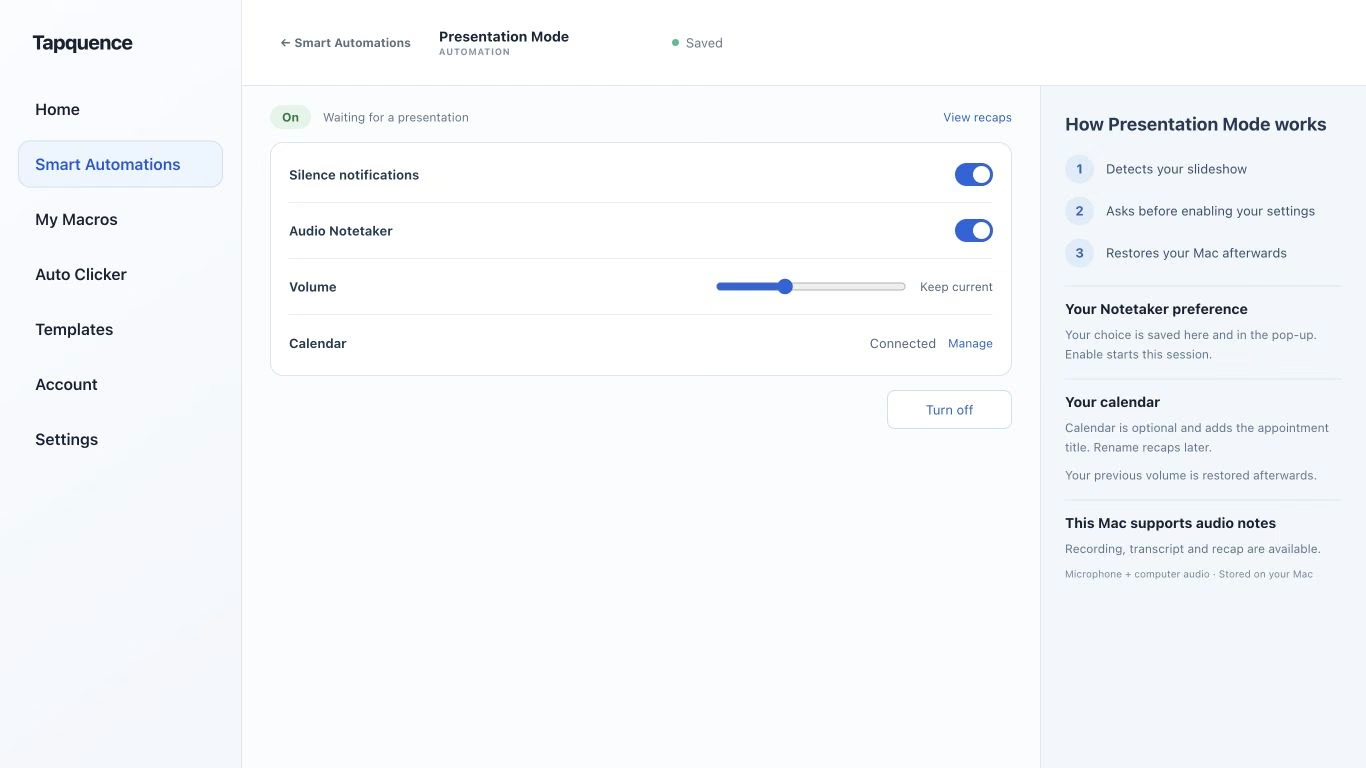
Presentation Mode settings. Review notification, recording and calendar choices, then test a short presentation.
KEY TAKEAWAY
A kickoff should expose assumptions and establish the first actions without pretending every question is settled.
A project kickoff meeting agenda should create a shared starting point: why the project exists, what it includes, how decisions will be made and what happens first. It is an opportunity to expose assumptions before they become delivery problems.
A successful kickoff does not pretend every question is settled. It separates confirmed boundaries from estimates and records who will resolve the remaining gaps.
1. Prepare the starting material
Share a short brief before the meeting. Include the intended outcome, known constraints, people involved and material participants should review. Mark provisional dates and budgets clearly. Ask the people who own key dependencies to check those assumptions beforehand.
Choose a decision owner and a notes owner. If the meeting includes a deck, prepare supporting pages and a way to capture decisions without interrupting the discussion.
KICKOFF AGENDA
Adapt to the project
1. Purpose and intended outcome
2. Scope: included and excluded
3. Roles and decision ownership
4. Milestones and dependencies
5. Risks, assumptions and open questions
6. Communication and approval process
7. First actions and next check-in
2. Agree the boundaries before the schedule
Describe what the project is expected to deliver and what it is not expected to include. Examples are often more useful than broad labels. “A prototype for the onboarding flow” is clearer when you also state whether account management or payments are outside the work.
Ask participants to identify different interpretations. An apparent agreement on the project name can hide disagreement about the actual deliverable. Record exclusions beside the included work so they remain easy to find.
SCOPE CHECK
Fictional project
Included
Prototype and test the new onboarding flow.
Excluded
Payment processing and production implementation.
Condition
Recruitment availability determines the testing window.
Open point
Engineering has not yet confirmed implementation capacity.
3. Make roles and decision paths clear
Identify who does the work, who supplies specialist input and who can approve a change. Avoid using an attendance list as a substitute for ownership. Somebody joining the kickoff does not automatically own a deliverable.
Agree where the team will maintain decisions and how proposed scope changes will be reviewed. A short process understood by everyone is more useful than an elaborate approval diagram nobody follows.
If you use Audio Notetaker, tell participants before recording and use the transcript to verify important wording later. A recap should preserve an exclusion or condition, not smooth it away to make the kickoff sound settled.
4. Test milestones against dependencies
Discuss dates together with the inputs they require. Ask which milestones are commitments, which are targets and which depend on another team. A date shown in a slide is not automatically an accepted deadline.
For each milestone
Question
Useful record
What must be ready?
The specific input or deliverable.
Who owns it?
The person or team that accepts the next action.
What could block it?
A named dependency or assumption.
How firm is the date?
Confirmed, proposed or awaiting input.
5. Close with the first actions
Read back the scope, decision ownership and immediate next steps. Give unresolved questions an owner for clarification and a review point. Share the reviewed record in the agreed location so the project does not begin with conflicting personal summaries.
For presentation preparation, Presentation Mode can support selected temporary Mac settings during supported presentations. Open and test the deck and supporting pages yourself, and use the Presentation Mode guide to check the configured presentation support before the kickoff. A dependable setup frees attention for the assumptions the team needs to discuss.
