ARTICLE
Google Meet Transcription on Mac: Choose and Review Your Workflow
Tapquence Editorial
·
3 min read
Editorial week of
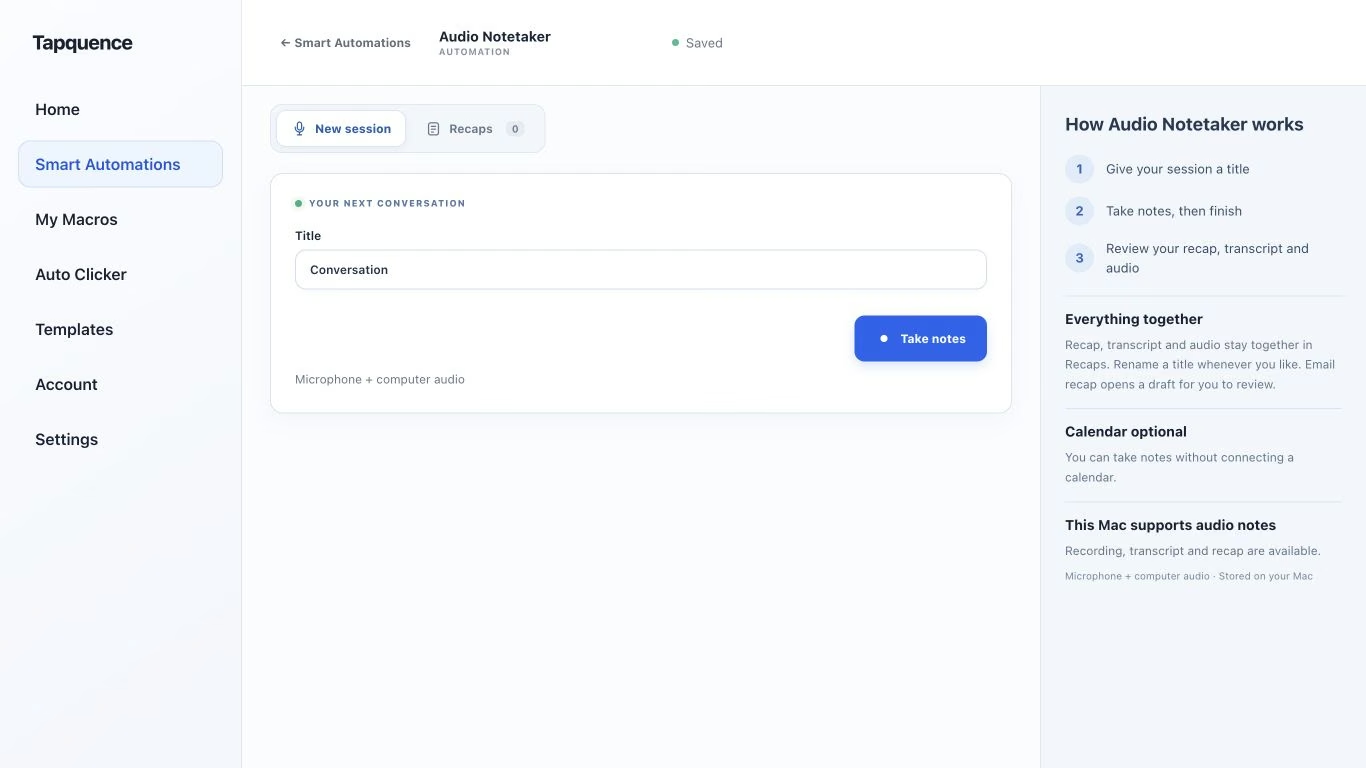
A standalone Audio Notetaker session. Give the conversation a title, then review the saved audio and transcript after recording.
KEY TAKEAWAY
Check organiser controls before the call. A local recorder is a separate approved workflow, not a way around meeting policy.
Google Meet transcription can provide a record of the spoken conversation, but you should check availability, control and access before relying on it. The person attending a meeting does not always have the same permissions as the organiser.
Choose whether you need the platform’s transcript or an approved local audio-notes workflow on your Mac. Then test the route before an important meeting rather than discovering a missing control after the discussion starts.
1. Check the native transcription route
Google’s Meet transcription guide lists supported editions, languages and host controls. On a computer, the documented route is Meeting tools → Transcribe → Start transcription, where available. Participants see a transcription indicator, and the result is saved through the organiser’s Google Drive workflow. Spoken transcription is distinct from meeting chat.
Use the current guide and your organisation’s settings to confirm access. A missing option is not a reason to bypass the organiser’s choices or recording policy.
Before the meeting
Confirm which approved workflow will capture the conversation.
Identify who can start and stop it.
Tell participants what will be recorded or transcribed.
Agree who needs the resulting notes.
Prepare a manual-notes fallback.
2. Separate the transcript from the outcome
A transcript answers what was said. A useful follow-up answers what was decided and what happens next. Do not assume the first automatically supplies the second.
For a project review, make a small notes structure before the call: decisions, actions and open questions. Use the source transcript to check details afterwards rather than sending everybody a long unreviewed conversation.
REVIEW EXAMPLE
Fictional discussion
“We can test the shorter flow after accessibility review. The launch date still needs engineering confirmation.”
Decision
Test the shorter flow after the stated review.
Open point
The launch date remains unconfirmed.
Do not infer
That the project is approved for production.
3. Consider a local audio workflow when appropriate
If your agreed process uses local recording, Audio Notetaker can capture a new microphone-and-computer-audio session on your Mac and process transcription locally after model preparation. It is a separate workflow, not a way to unlock a disabled Meet feature.
Check requirements in the Notetaker guide. Run a short call with another person and play back both sides. Headphones make it important to capture computer audio directly rather than relying on the microphone to hear the call.
Local transcription does not change the network requirements of the Meet conversation. Recording, processing and sharing remain separate choices.
4. Review important details
Whichever source you use, check names, dates, quantities and commitments. Replay an unclear passage where audio is available. Mark an uncertain owner or deadline as unconfirmed instead of guessing from the order in which people spoke.
Check the meaning, not just spelling
Detail
Why it matters
Negation
“Not approved” must not become an approval.
Condition
A task may depend on another review.
Owner
Mentioning work is not accepting it.
Date
A target may still be a proposal.
5. Share the reviewed result
Choose the smallest useful output and verify recipient access. A person who received the invitation may need different material from the people maintaining the project record. Keep irrelevant personal discussion out of the recap.
For a consistent Mac call environment, Meeting Mode is a complementary setup. Review it separately from your decision to record. Preparation helps the conversation run smoothly; checking the transcript helps the resulting notes remain trustworthy.
