Automations
Create macros and simplify everyday work on your Mac.
Frequently asked questions
The essentials, without leaving this page.
Is Tapquence an auto clicker for Mac?
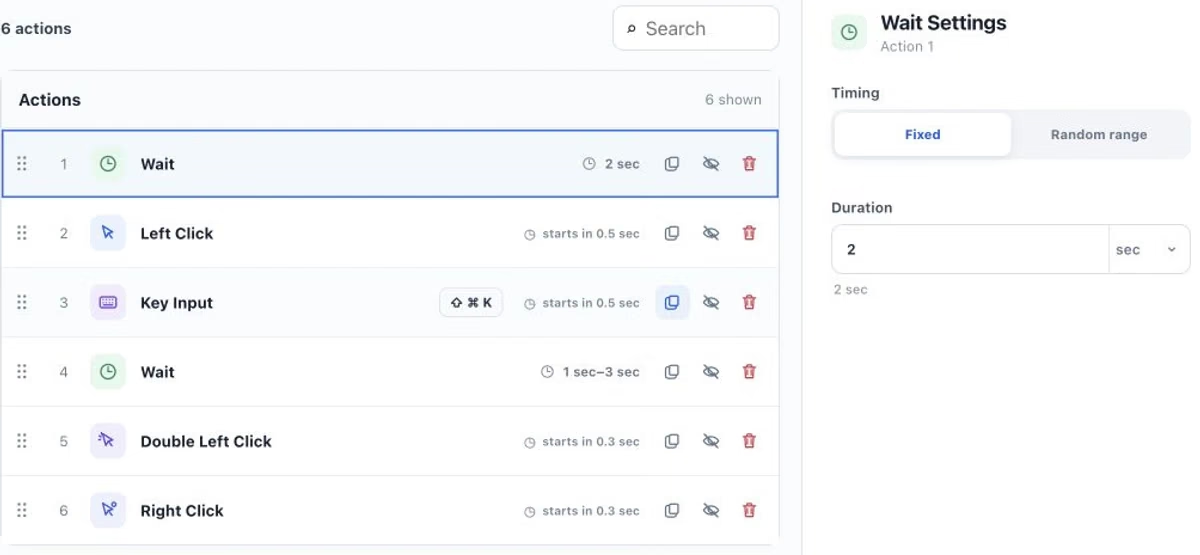
Yes. Tapquence works as an auto clicker for Mac, but can do more than repeat one click. Combine single, double and right clicks at different positions with keyboard actions, waits and repetitions in one automation.
Can I add delays and random wait times?
Yes. Every action can have a start delay, and fixed or random wait actions can be placed anywhere in a macro. Time values can use seconds or minutes, and decimal values accept either a dot or a comma.
Can I target a specific application or window?
Tapquence lets you select a supported open target application for mouse and keyboard automation. The target needs to remain available while the macro runs, and some applications may limit automated input.
Where are my macros stored?
Your macros and automation settings are stored locally on your Mac. Running them does not require uploading their contents.
Account, payment and connected-service features can use the network. See the Privacy Policy for the data processed by these services.
