
Before you start
Choose a meaningful routine. Review the current Tapquence screen and the requirements above before changing anything.
- A repeatable routine
- An explicit session
- Safe ordinary work
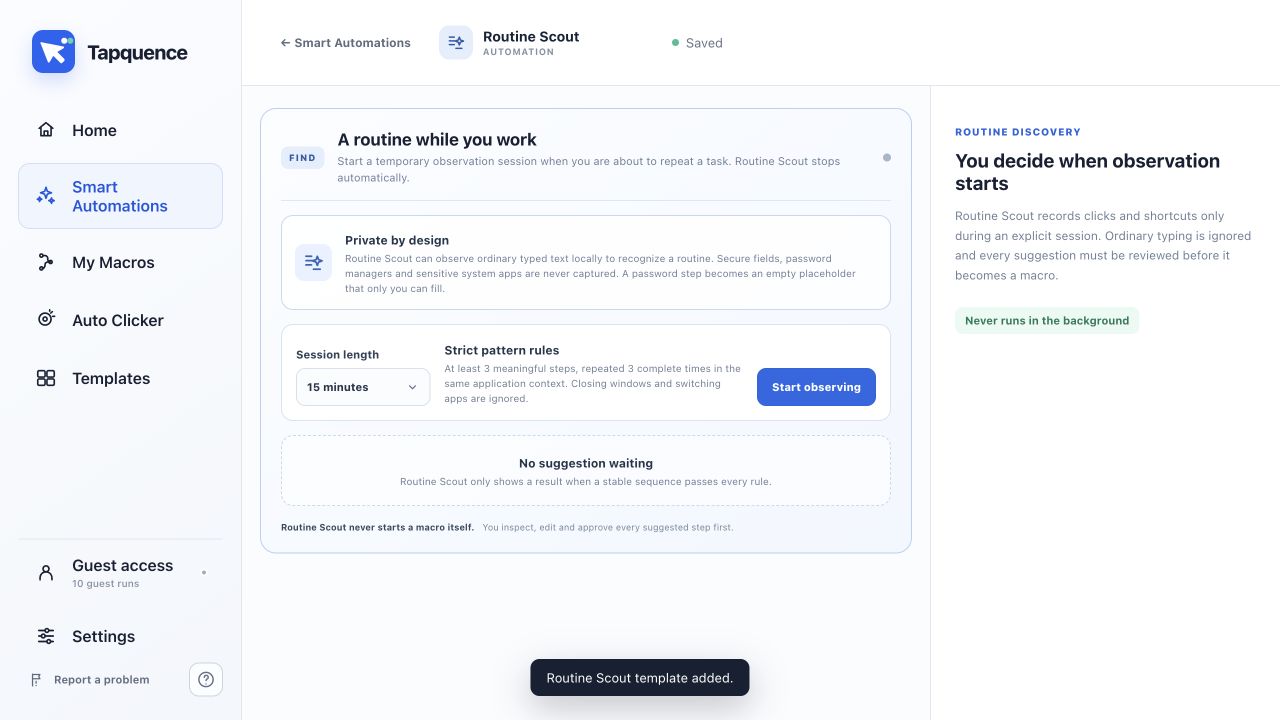
Start a session
Routine Scout helps you notice repeated multi-step work that may be worth automating. It looks for a stable sequence rather than treating every repeated click or app close as a useful routine.
Quick answer
Switch Routine Scout on, complete your normal work and review a suggestion only when Tapquence sees the same meaningful sequence several times. Nothing is created or run until you approve it.
What Routine Scout looks for
A useful routine contains multiple actions in a consistent order, similar timing and the same intended result. One frequent action on its own is not enough. This reduces noisy suggestions for behaviour that should stay manual.
1. Enable Routine Scout
Open Smart Automations, choose Routine Scout and switch it on. Keep Tapquence running while you perform the routine naturally.
2. Repeat the complete task
Complete the same multi-step task several times. Routine Scout compares the order and context of the actions while keeping your work unchanged.
3. Review the suggestion
When Tapquence finds a strong pattern, it shows a Routine found prompt. Open the suggestion and inspect every proposed action, target and wait before accepting it.
4. Test the generated macro
Run the macro in a safe test context. Confirm that the starting state, applications, text fields and timing still match the original routine. Edit anything that depends on changing screen content.
Privacy and control
Routine Scout is designed to keep suggestions local and reviewable. It does not silently run a new workflow. Avoid using sensitive passwords or private customer data as recorded text in a macro.
Repeat the routine
Run the smallest useful example once and verify the result before enabling repetition or relying on the complete workflow.
Review the suggestion
Confirm the installed app, target, folder or meeting is the one described in this guide.
Reduce the workflow to the smallest failing action and change only one setting at a time.
Use harmless data, add more time where needed and keep the stop control available.
Continue learning
Continue with the matching Tapquence feature or move through the guide sequence.
View Routine ScoutSee how this guide connects to the actual workflow.›