
MAC AUTOMATION SOFTWARE
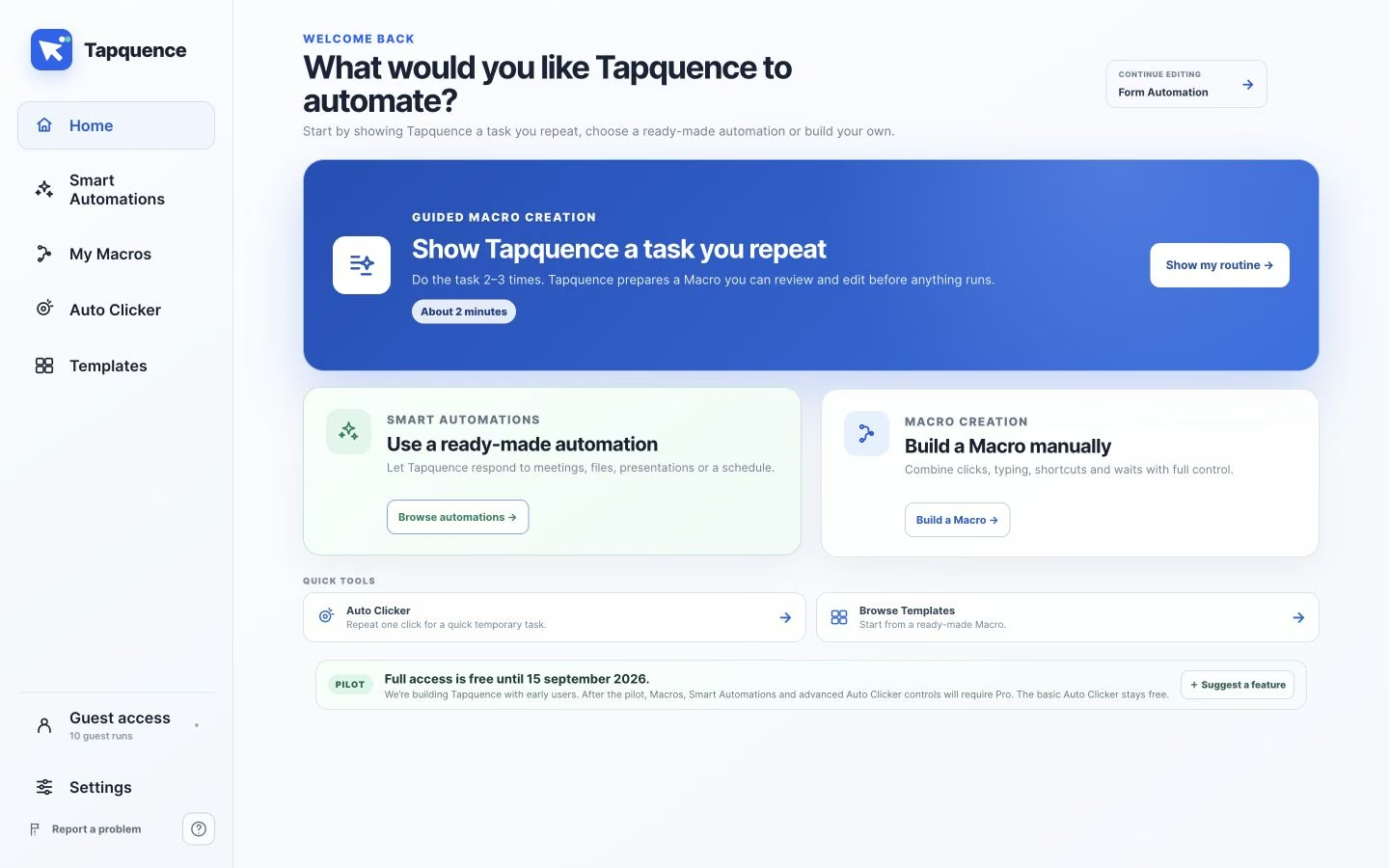
Record, review and run workflows that click, type and wait across your apps. Tapquence runs locally on your Mac so you stay in control.
Public beta · macOS · Apple Silicon & Intel
◉ Visible workflows
See every step before it runs
</> No coding
Record or build with ease
▣ Local-first
Runs on your Mac
□ Stop anytime
You remain in control
Automate the repetitive work between your apps
From small tasks to daily routines, Tapquence helps you save time where it counts.
Data entry
Fill forms, transfer data and update spreadsheets without the busywork.
Browser workflows
Log in, search, extract and submit across websites and web apps.
Copy and paste loops
Move, format and organize content across apps and documents.
File organization
Rename, sort and move files into the right folders every time.
Launch routines
Open the apps, files and folders you need to start your day.
Meeting setup
Prepare agendas, join links and notes across your favorite apps.
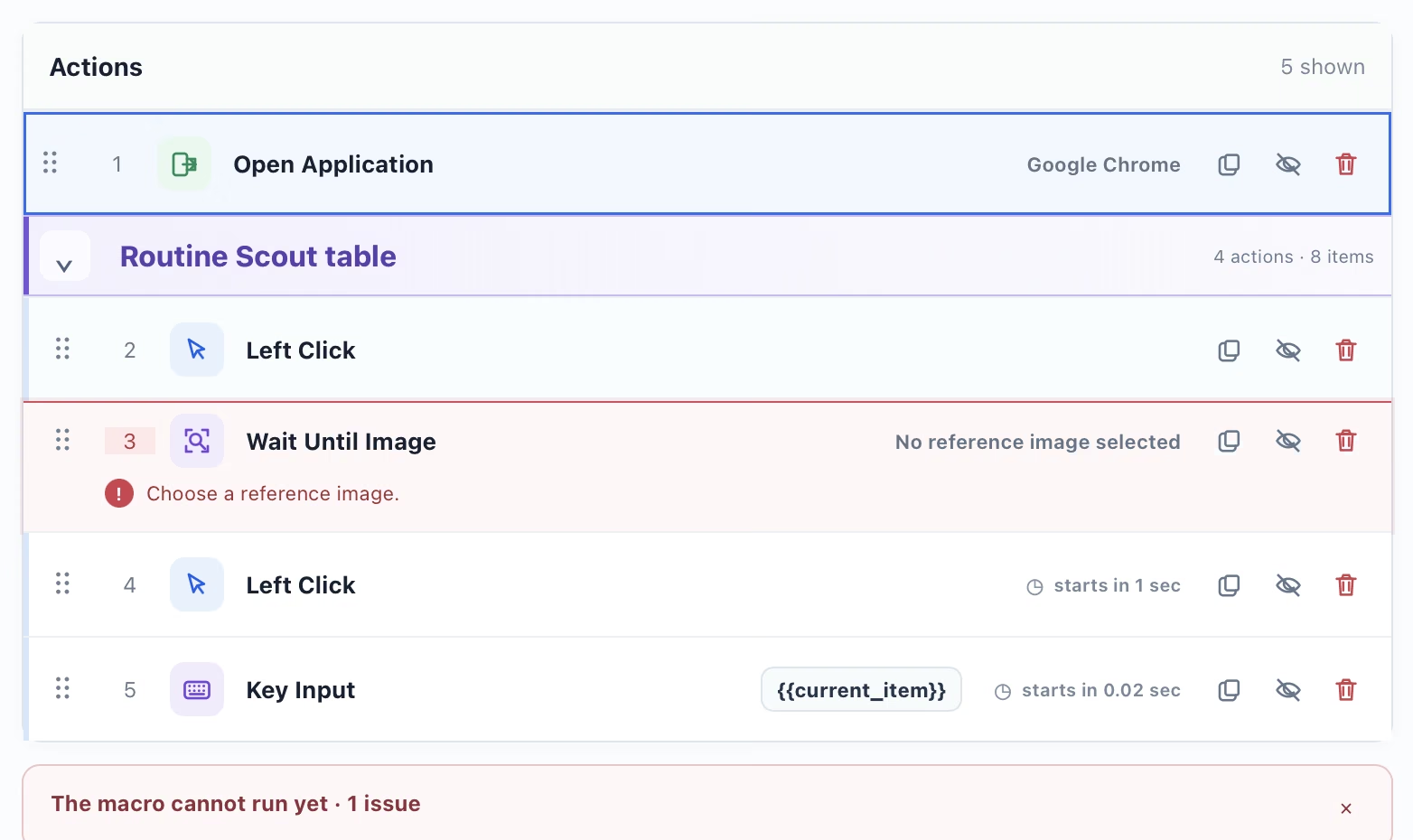
See every action before it runs
Tapquence shows each step in plain English so you can review, edit and run with confidence.
✓ Review every step in order
✓ Set timing, repeats and limits
✓ Edit clicks, text and targets
✓ Pause or stop when needed
Choose the right Mac automation tool
Compare Tapquence with popular options and choose what fits your workflow.
Feature
Tapquence
Apple Shortcuts
Automator
Keyboard Maestro
Hazel
Raycast
Alfred
Clicks and keystrokes
Yes
Limited
Yes
Yes
No
No
No
Record workflows
Yes
Yes
Limited
Yes
No
No
No
Visual workflow editor
Yes
Limited
Yes
Yes
No
No
No
Runs locally on Mac
Yes
Yes
Yes
Yes
Yes
Yes
Yes
Easy for non-technical users
Yes
Yes
Medium
Medium
Medium
Medium
Medium
Best for
Repetitive desktop automation
App and device automation
File and app tasks
Advanced automation
File organization and rules
Productivity commands
Launcher and productivity
Learn more and get started
Frequently asked questions
Clear answers about Mac automation software and how Tapquence works.
What is Mac automation software?
Mac automation software repeats desktop actions such as clicks, typing, app launches and waits. Tapquence makes every step visible so you can review it before running.
How can I automate repetitive tasks on Mac?
Build a workflow from the actions you repeat, check each step, then run it when needed. Tapquence is designed for repeatable Mac tasks such as data entry, browser work and file organization.
Can I automate Mac tasks without coding?
Yes. Tapquence uses a visual workflow editor, so you can arrange and review actions without maintaining scripts.
Can Tapquence automate data entry and browser workflows?
Yes. Tapquence can repeat clicks, typing, copying, pasting and waits across supported Mac apps and browser workflows. Test each workflow carefully during the Public Beta.
How does Tapquence compare with Apple Shortcuts and Keyboard Maestro?
Apple Shortcuts is strong for app and system integrations, while Keyboard Maestro offers advanced Mac automation. Tapquence focuses on visible, step-by-step desktop workflows that are approachable without coding.
Does Tapquence run locally on my Mac?
Tapquence runs workflows locally on your Mac. Review actions before running them and test new workflows with non-sensitive data during the Public Beta.
Give repetitive work
back to Tapquence.
Download the free Mac beta and build your first workflow in minutes.
Download for MacExplore the guides →© 2026 Tapquence. All rights reserved.